


We turn out-of-stock items to preorders. Seamless preordering boosts sales and delights customers.
- Stores using it
- — Not detected yet
- Rating
- 4.6 / 5 73 reviews
- Price
- $12 / mo Free trial
- Launched
- January 2018 Canada
Screenshots
About Preorderly • Preorder PreSale
Merchants appreciate this app for enabling sales through pre-orders on out-of-stock or upcoming products, enhancing customer engagement and preventing revenue loss. It's noted for its affordability, ease of installation, and customizable features like pre-order buttons and alerts. The app supports large catalogs and integrates well with existing themes, though some limitations in item support are mentioned. Customer support is highlighted as responsive, offering quick fixes and customization help.
We turn out-of-stock items to preorders. Seamless preordering boosts sales and delights customers.
Transform your Shopify store with our innovative app, simplifying pre-order automation for merchants facing inventory challenges. Seamlessly manage out-of-stock or forthcoming items, customize pre-order buttons/messages, and set quantity limits effortlessly. With flexible payment options and streamlined operations, our app enhances customer experience, boosts sales, and prevents overselling. Join our community of satisfied merchants today to unlock the potential of pre-orders.
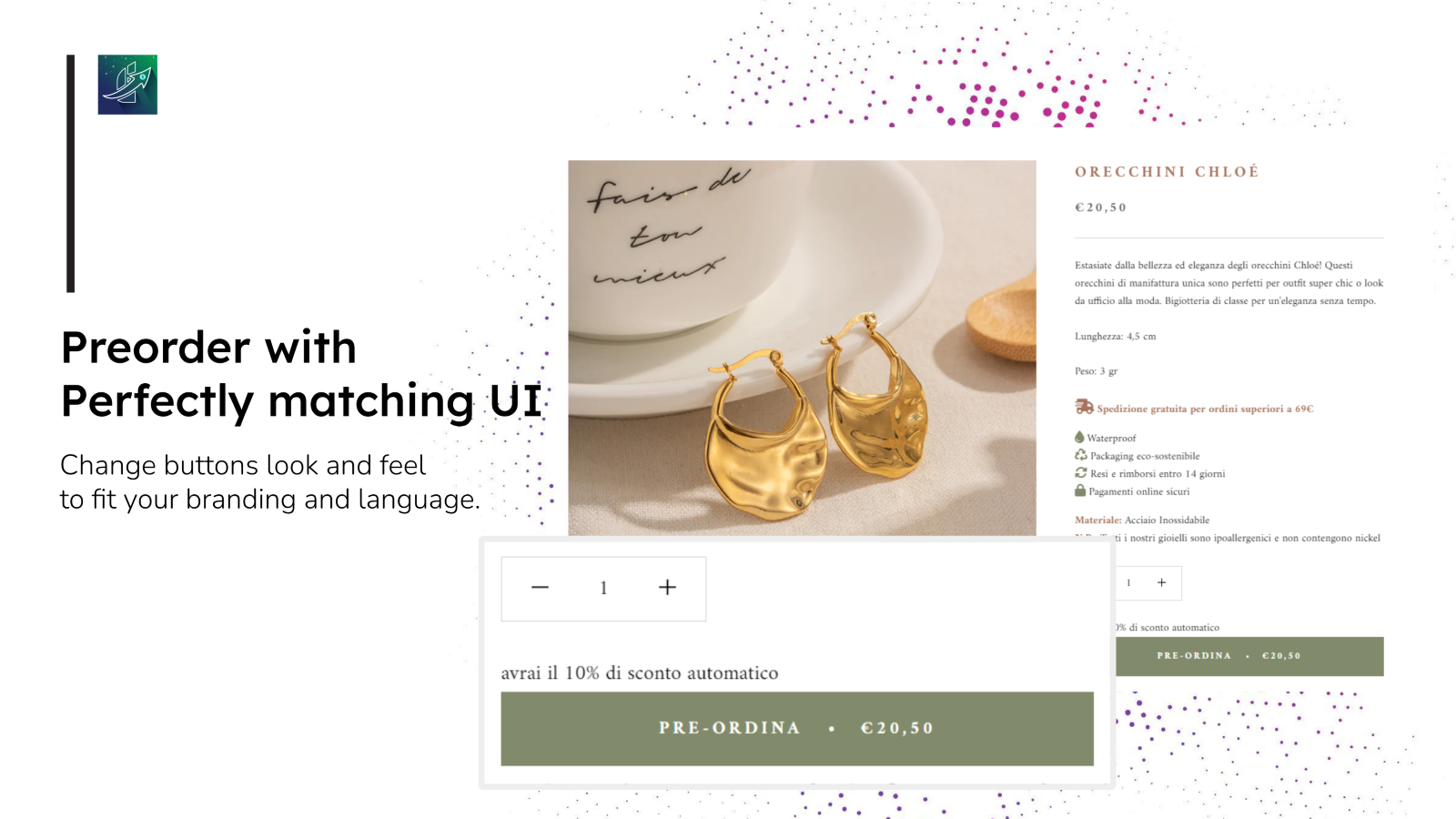
- Customize preorder button/text for collections, products, and variants
- Schedule fulfillment and start/end times for preorder items with notification.
- Display preorder button/badge in homepage/collection page.
- Limit quantity per customer/product and tagging preorder items in order page
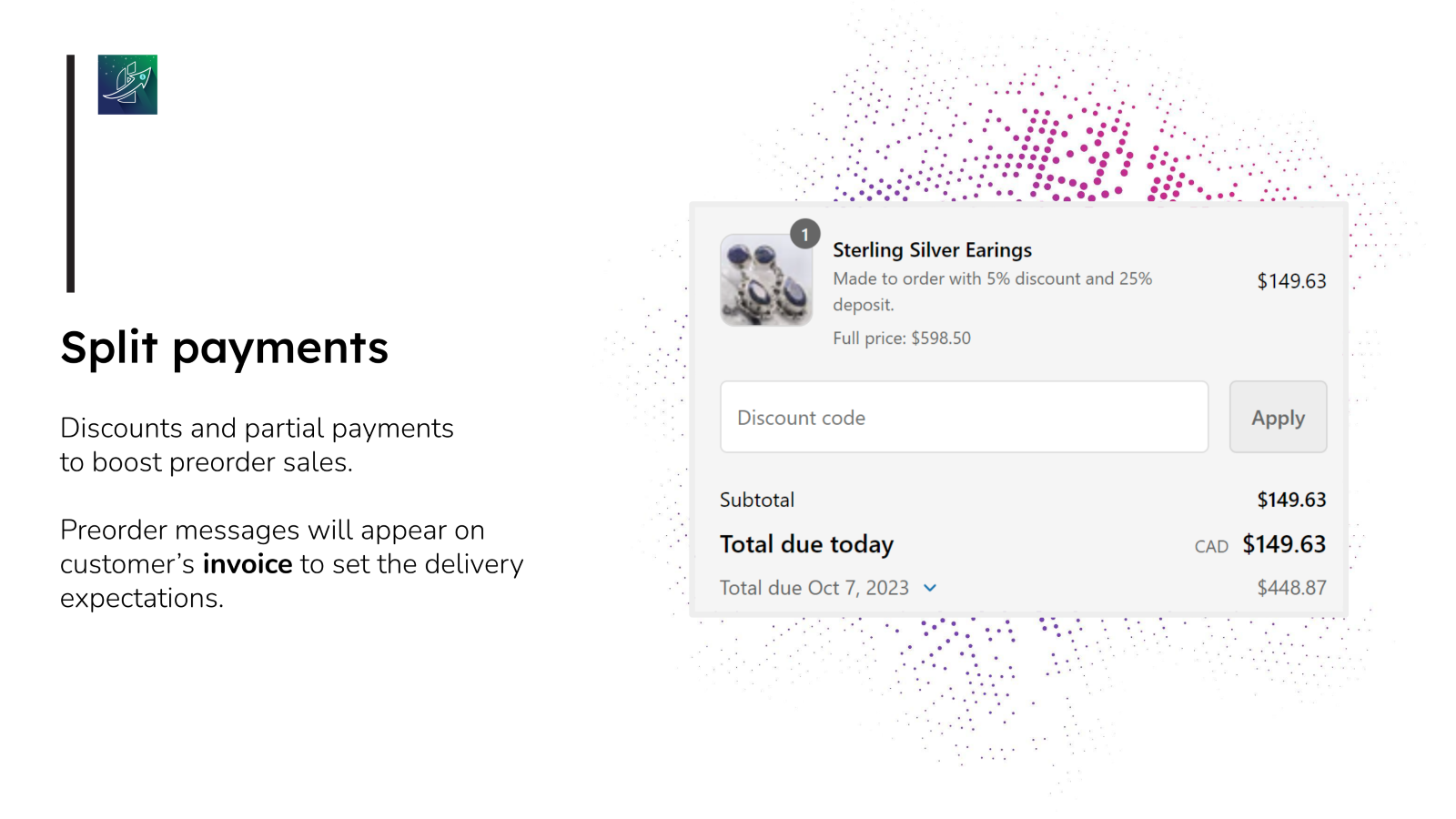
- Partial payment, Apply automatic discounts on pre-order items
Features
- Availability date
- Back orders
- Badges
- Buttons
- Coming soon
- Custom branding
- Custom text
- Deferred payments
- Deposits
- Discounts
- Made-to-order
- Mixed cart
- Out of stock
- Partial payments
- Payment schedules
- Pre-sales
- Product drops
- Split payments
- Variants
Preorderly • Preorder PreSale pricing
Free trial · From $12 / month. Prices in USD; check the App Store for the latest.
-
BASIC (was $14.99)
$12 / month
- For stores on the Basic Shopify
- All features + unlimited preorders
- No hidden fees
- Live chat support!
-
SHOPIFY ($24.99)
$19 / month
- For stores on the Shopify pricing plan
- All features + unlimited preorders
- No hidden fees
- Live chat support!
-
ADVANCED ($29.99)
$26 / month
- On the Advanced Shopify pricing plan
- All features + unlimited preorders
- No hidden fees
- Live chat support!
-
SHOPIFY PLUS ($39)
$36 / month
- On the Shopify Plus pricing plan
- All features + unlimited preorders
- No hidden fees
- Live chat support!
Shopify stores using Preorderly • Preorder PreSale
We haven't detected Preorderly • Preorder PreSale on a live Shopify store yet. We recognise the apps that leave a trace in a store's code; some apps run only in the admin or the checkout.
Detect apps on any storeFAQ
Preorderly • Preorder PreSale: FAQ
We turn out-of-stock items to preorders. Seamless preordering boosts sales and delights customers.
No. Plans start at $12 a month, with a free trial.
We haven't detected Preorderly • Preorder PreSale on a live Shopify store yet. Scan any store on ShopScan to see the apps it runs.
Preorderly • Preorder PreSale is built by Storefrontist, based in Canada, and launched in January 2018.
4.6 out of 5 from 73 reviews on the Shopify App Store.