


Create personalized products for your customers with UploadKit's seamless file upload fields
- Stores using it
- — Not detected yet
- Rating
- 3.8 / 5 86 reviews
- Price
- $9 / mo Free plan available
- Launched
- September 2018 United States
Screenshots
About File Uploads by UploadKit
Merchants highly recommend this app for handling customizable product orders, particularly praising its user-friendly interface for features like photo uploading and cropping. They appreciate the customizable upload button that aligns with their store's theme and note the app's reliability and fast performance. The responsive customer support, often involving direct interactions with developers for custom solutions, is also highlighted as a key benefit.
Create personalized products for your customers with UploadKit's seamless file upload fields
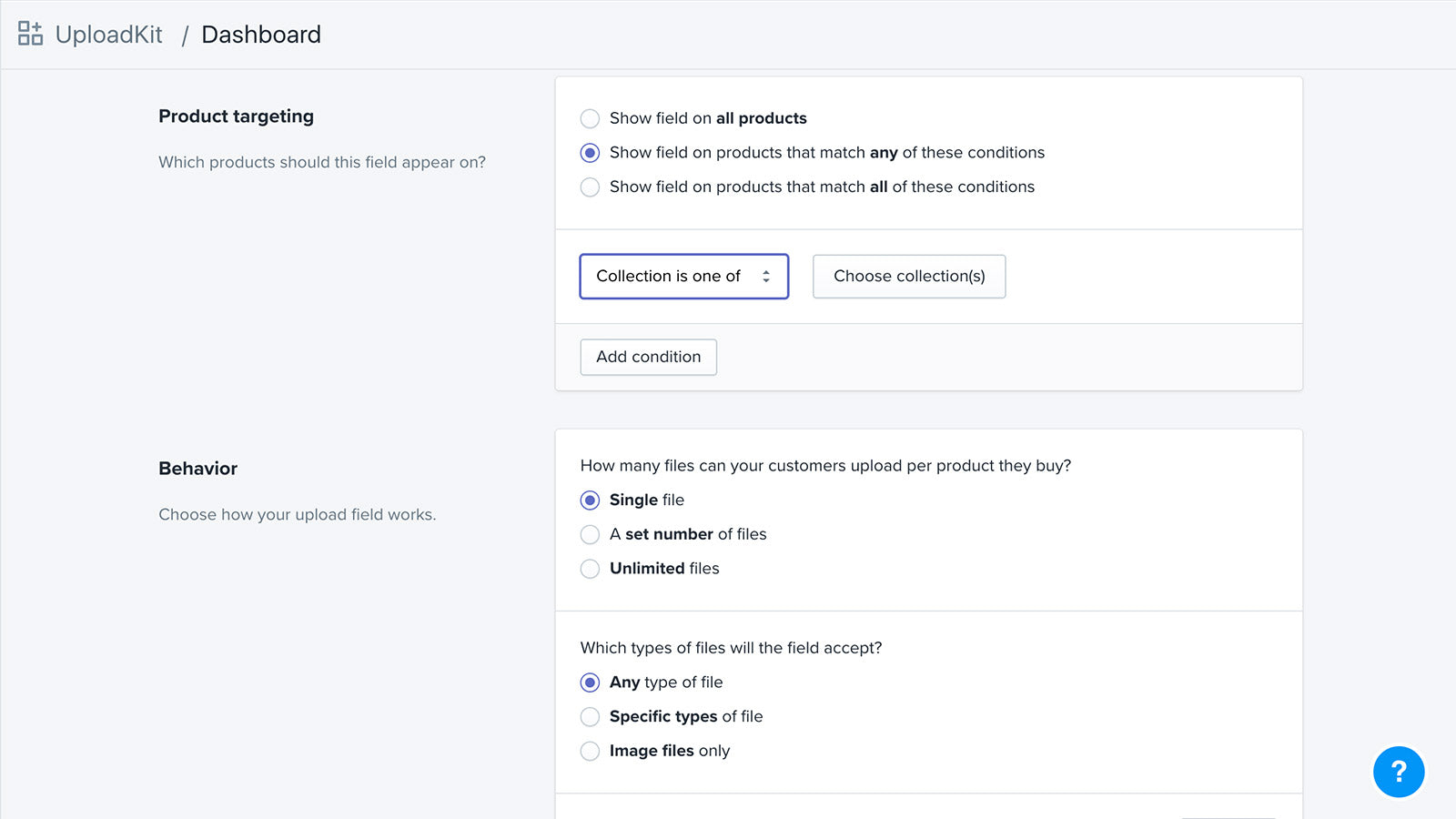
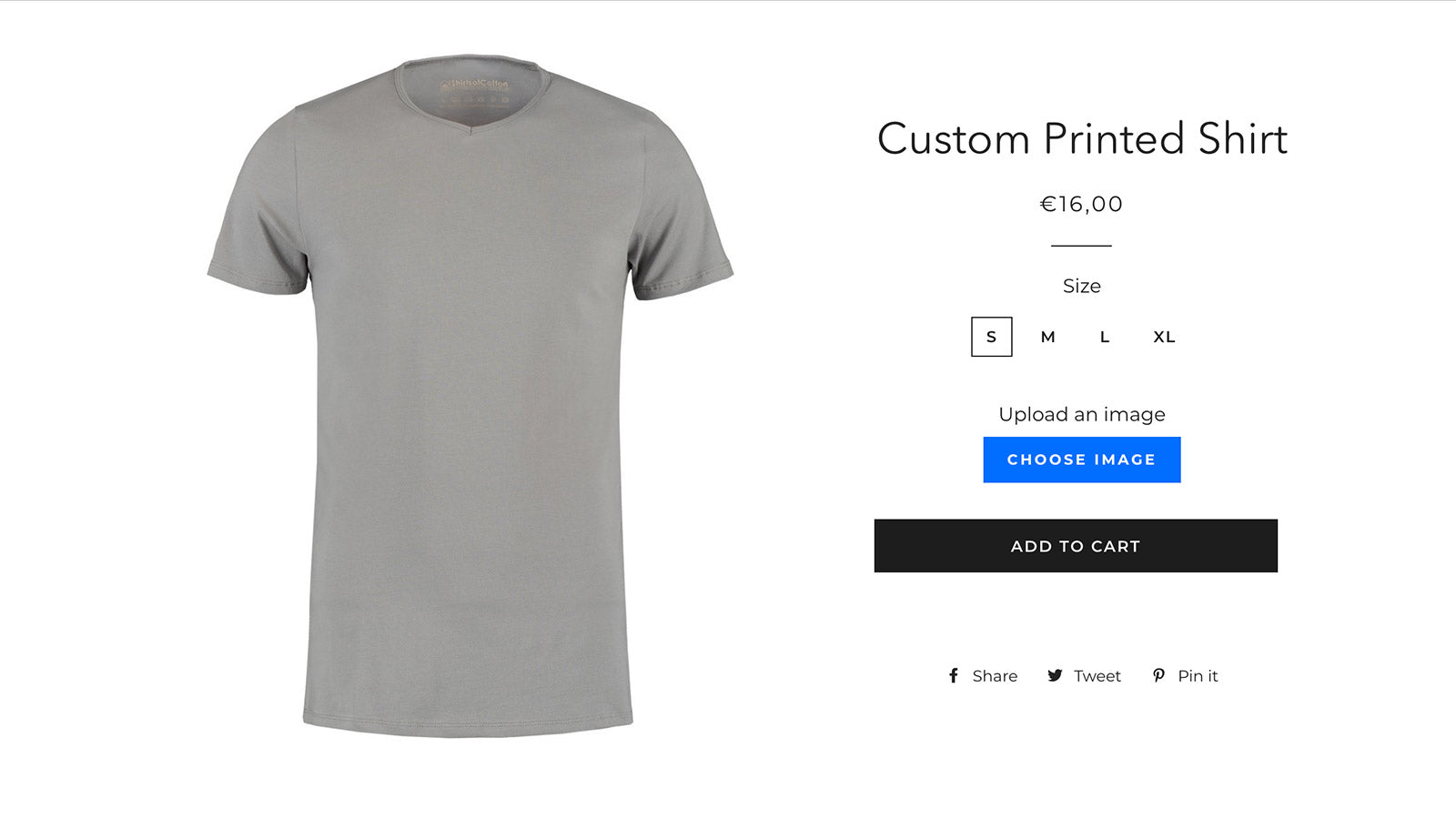
Let your customers upload their file from wherever it is - in their phone, on their computer, or from their Facebook, Instagram or Dropbox account. It's then uploaded fast and reliably, shown on the product page and in their cart, and available for you to download from your Shopify dashboard. With our Google Drive integration, the files will be downloaded direct to your team's computers automatically. Customers can also upload files after checkout with post-purchase uploads.
- Accept files from phones, computers, Facebook, Instagram and more
- Let customers preview, auto-enhance, rotate, sharpen and crop images
- Automatically sync uploaded files to your Google Drive for faster order handling
- Let customers upload their files right away, or after checkout
- Automatically scans all files for malware and blocks viruses and trojans
Features
- Add text
- Custom fields
- Custom rules
- Excel
- File download
- File upload
- Image crop
- Image optimization
- Image rotate
- Images
- Import and export
- JPEG
- Malware protection
- PNG
- PSD
- Preview
- Videos
- ZIP
File Uploads by UploadKit pricing
Free plan available · Free trial · From $9 / month. Prices in USD; check the App Store for the latest.
-
Trial
Free
- FREE for Shopify Partners dev stores
-
Growing
$9 / month
99 billed yearly (save 8%)
- Unlimited fields
- Automatic malware scanning
- Up to 200MB file size
- Retention period up to 3 months
-
Pro
$24 / month
249 billed yearly (save 14%)
- Unlimited fields
- Automatic malware scanning
- No UploadKit branding
- Up to 5GB file size
- Retention period up to 12 months
- Sync to Google Drive
Shopify stores using File Uploads by UploadKit
We haven't detected File Uploads by UploadKit on a live Shopify store yet. We recognise the apps that leave a trace in a store's code; some apps run only in the admin or the checkout.
Detect apps on any storeFAQ
File Uploads by UploadKit: FAQ
Create personalized products for your customers with UploadKit's seamless file upload fields
File Uploads by UploadKit has a free plan; paid plans start at $9 a month.
We haven't detected File Uploads by UploadKit on a live Shopify store yet. Scan any store on ShopScan to see the apps it runs.
File Uploads by UploadKit is built by UploadKit, based in United States, and launched in September 2018.
3.8 out of 5 from 86 reviews on the Shopify App Store.